

How to Make a Roblox Game Icon (Size, Rules and an AI Workflow)
A Roblox game icon must be square and at least 512x512 pixels. How to design one with AI in Higgsfield, upload it in Creator Hub and pass moderation.
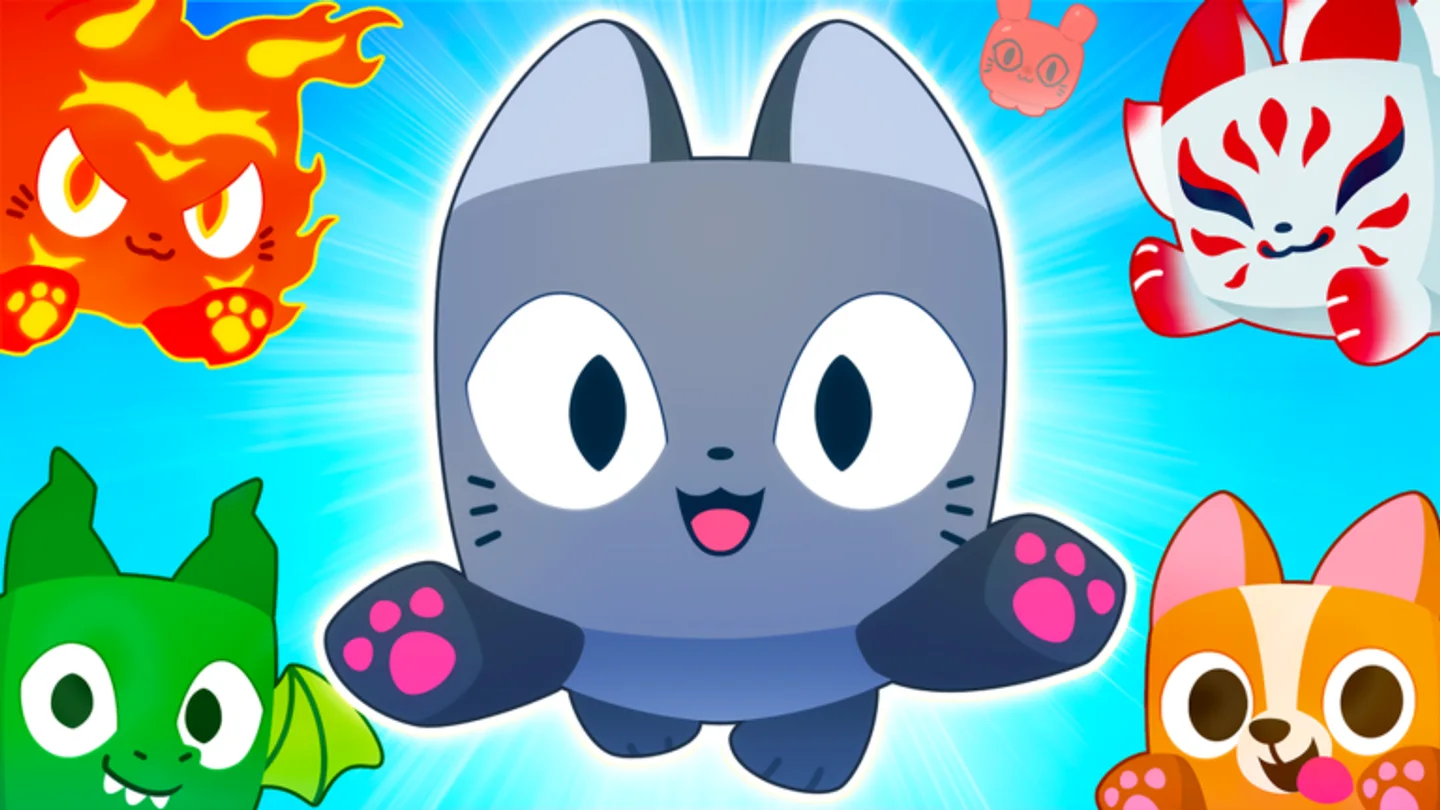
Example of the bold character art popular games use: Pet Simulator 99 by BIG Games Pets (image from its Roblox page)
On this page6
A Roblox game icon must be a square image of at least 512x512 pixels, and it has to pass moderation before players see it. Make it at 512x512 or larger in any image tool (an AI image generator like Higgsfield works well), check it still reads at small sizes, then upload it in the Creator Dashboard under Configurations › Places › start place › Icon. You can also add one in Studio’s Game details window the first time you publish.
Quick facts
- Shape
- Square
- Minimum size
- 512x512 px
- Shown as small as
- About 150x150 px
- Icons per locale
- One
- Moderation
- Required
Why the icon matters
The icon is the tile players see on the Roblox Home page and in search before they ever read your description. Roblox’s icon docs say it should express the theme, tone or genre of the game. When you publish for the first time, Roblox fills the slot with an auto-generated icon from a set of default images, and a default icon tells players nothing about your game. Replacing it is one of the cheapest improvements you can make.
The rules from Roblox’s docs
Roblox lists a short set of best practices, and following them closely keeps you out of trouble:
- Upload a square image, at least 512x512. Non-square or low-resolution images look stretched or blurry.
- Preview it at small sizes. Icons scale down to sizes like 150x150, so fine details and small text disappear.
- Use relevant, unique imagery that shows what players will do. Roblox’s own examples flag ambiguous graphics (like a random symbol in a corner) as confusing.
- Let color and contrast set the mood. Bright, saturated colors read as fantasy or fun; muted colors read as somber; heavy contrast suits horror.
- Make sure it passes moderation. Every icon is reviewed against the Community Rules before it appears to others.
Making the icon with AI
Most creators now generate the base art with an AI image model and then touch it up. The workflow that fits this site’s AI-first approach:
- Write a short brief: genre, main character or object, mood, two or three colors. “Bright cartoon obby, a Roblox-style character mid-jump over lava, orange and teal, big and simple shapes.”
- Generate square images at 1024x1024 or larger so you have room to crop down to 512x512 and above.
- Pick the one that still reads as a thumbnail. Shrink it to about 150 pixels wide on your screen; if you cannot tell what the game is, try again.
- Fix details in an editor, export as PNG or JPG, and upload.
Higgsfield AI
Images and videoGenerates square icon art from a text brief with several image models, and connects to Claude or Cursor over MCP so you can make icons from the same chat you use with Studio.
- Free tier
- Paid plans from $19/mo (checked Nov 2026)
Affiliate link: we may earn a commission if you subscribe, at no extra cost to you. How this works.
Higgsfield’s pricing page lists image models including Nano Banana Pro, Seedream, GPT Image and Flux.2 Pro, and there is a free plan with limited access. Higgsfield makes images and video, not 3D models, so it is the right tool for icons and thumbnails rather than in-game meshes.
Using it alongside Claude and the Studio MCP server
If you already build with Claude or Cursor connected to Roblox Studio’s built-in MCP server (see our Roblox Studio MCP guide), you can add Higgsfield as a second connector. Higgsfield documents its MCP connector URL as https://mcp.higgsfield.ai/mcp: in Claude, go to Settings › Connectors › Add custom connector, name it Higgsfield, paste the URL, click Connect and sign in. In Cursor, find Higgsfield in the Marketplace and add it. It uses your plan credits and needs no API key. Higgsfield notes that “Unlimited” plans apply on the web only, not through MCP.
With both connected, one chat can read your game in Studio (“what is this game about, list the main areas”) and then ask Higgsfield for icon concepts that match. The Studio MCP server also has upload_image and store_image tools, which are useful for in-game images such as decals and UI art. For the game icon itself, the documented route is the Creator Dashboard upload below. Roblox also documents updating icons through Open Cloud, but whether Studio’s open_cloud_invoke tool exposes that call is not confirmed in the MCP docs, so do not count on it.
Buy credits only after checking current prices on Higgsfield’s site; it was running a Black Friday sale ending November 27, 2026, so the numbers change soon. You can also sign up through our Higgsfield (affiliate link).
How to upload the icon
From the Creator Dashboard:
- Open the Creator Dashboard and click your game.
- In the left navigation, go to Configurations › Places.
- Click the start place (marked with a star; if the game has one place it is the only option).
- In the place’s left menu, select Icon.
- Set the media type to Image, click Change and pick your file.
- If the preview looks right, click Save Changes.
The first time you publish from Studio, the Game details window (shown at the top of this page) also lets you upload an icon along with the name and description. See how to publish a Roblox game for the full publish flow.
Design tips that hold up small
Use one clear subject, large and centered. Skip small text: at 150 pixels, a title becomes noise. Pick a background color that stands out from the icons you see on the Home page for your genre. Keep the style consistent with your thumbnails so players recognize the game across both; our Roblox thumbnail maker guide covers the 16:9 images that sit next to the icon.
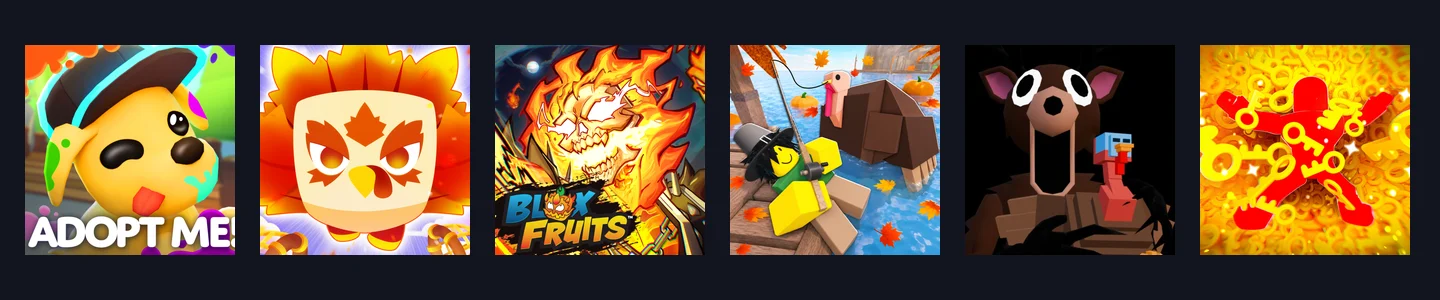
All six icons above use one subject that fills the square, and most skip text entirely. Blox Fruits and Adopt Me! keep a title, but it is large and sits on a plain area.
A nice touch is to reuse the icon art inside the game, as a decal on a sign in the lobby, so the first thing players see after joining matches what made them click. Then make a few icon versions over time and watch your game’s analytics after each change. For the rest of the pipeline, start from the how to make a Roblox game hub, and see best AI tools for Roblox for other image generators.
Roblox Game Icon FAQ
What size is a Roblox game icon?
Square and at least 512x512 pixels. Roblox shows it smaller in places, down to sizes like 150x150, so preview it small before uploading.
Where do I upload a Roblox game icon?
In the Creator Dashboard: open the game, go to Configurations › Places, click the start place, choose Icon, set the media type to Image, click Change, pick your file and click Save Changes.
Can I use an AI-generated icon on Roblox?
Roblox moderates every icon the same way, however it was made. Roblox's AI docs say outputs from third-party AI tools are the creator's responsibility, so check the image follows the Community Rules before you upload.
Why is my Roblox icon not showing?
Icons must pass moderation before other people see them. Until then, or if it is rejected, players see the previous or default icon.
Can I have different icons for different languages?
Yes, Roblox allows one icon per locale, so a localized game can show a different icon in each supported language.
Keep building
Every guide, newest first Roblox Thumbnail Maker: How to Make Game Thumbnails That Get ClicksRoblox thumbnails are 16:9, ideally 1920x1080, up to 10 per game. Make them with AI in Higgsfield or from in-game shots, then upload in Creator Hub.UI and Icons4 min read
 Roblox UI Design: Build Menus and HUDs That Fit Every ScreenDesign Roblox UI that works on phone and PC: ScreenGui setup, Scale vs Offset sizing, aspect ratio constraints, list layouts and a short button script.UI and Icons4 min read
 How to Publish a Roblox Game and Release It to PlayersUse File › Publish in Roblox Studio, fill in Game details, then release with the content questionnaire, an age check and the refundable 1,000 Robux fee.Publishing and Growth4 min read
 Alex Balfanz: How Jailbreak Paid for College and Built a BusinessAlex Balfanz learned to code on Roblox at 9 and co-created Jailbreak, now over 7 billion visits. How the game grew, how it earns and what you can copy.Publishing and Growth3 min read
 Brookhaven: From Wolfpaq's Roleplay Town to a Voldex AcquisitionWolfpaq created Brookhaven in 2020 and Voldex bought it in 2025 for an undisclosed price. How the roleplay town grew, how it earns and what you can copy.Publishing and Growth3 min read
 Uplift Games: How the Adopt Me! Team Built a Roblox StudioHow Uplift Games turned Adopt Me! from a two-person Roblox project into a studio, with reported growth figures, how it earns, and steps you can copy.Publishing and Growth4 min read