

The Best AI Tools for Roblox Creators (November 2026)
The AI tools worth using for Roblox games: Roblox's built-in AI, Claude and Cursor for Luau, Meshy for 3D, Higgsfield for icons and video, ElevenLabs for audio.
Image: Royale High by callmehbob (Roblox)
On this page8
The best AI setup for most Roblox creators is Roblox’s own AI in Studio (Assistant plus the Material and Texture Generators) for work inside your place, Claude or Cursor connected through the Studio MCP server for scripting, Meshy for 3D models, Higgsfield for icons, thumbnails and trailers, and ElevenLabs for voice and sound. Below is each category with the pick, why it fits Roblox, and what Roblox’s import rules mean for it. Prices are as of November 2026 and come from each maker’s page.
Built into Roblox: start here
Roblox’s AI page lists procedural models, mesh generation, the Material Generator, the Texture Generator, Avatar Auto-Setup, text-to-speech, speech-to-text, text generation, Code Assist, Assistant and the Studio MCP server. These tools work on your place directly, so there is no import step. Our Roblox AI overview explains every one.
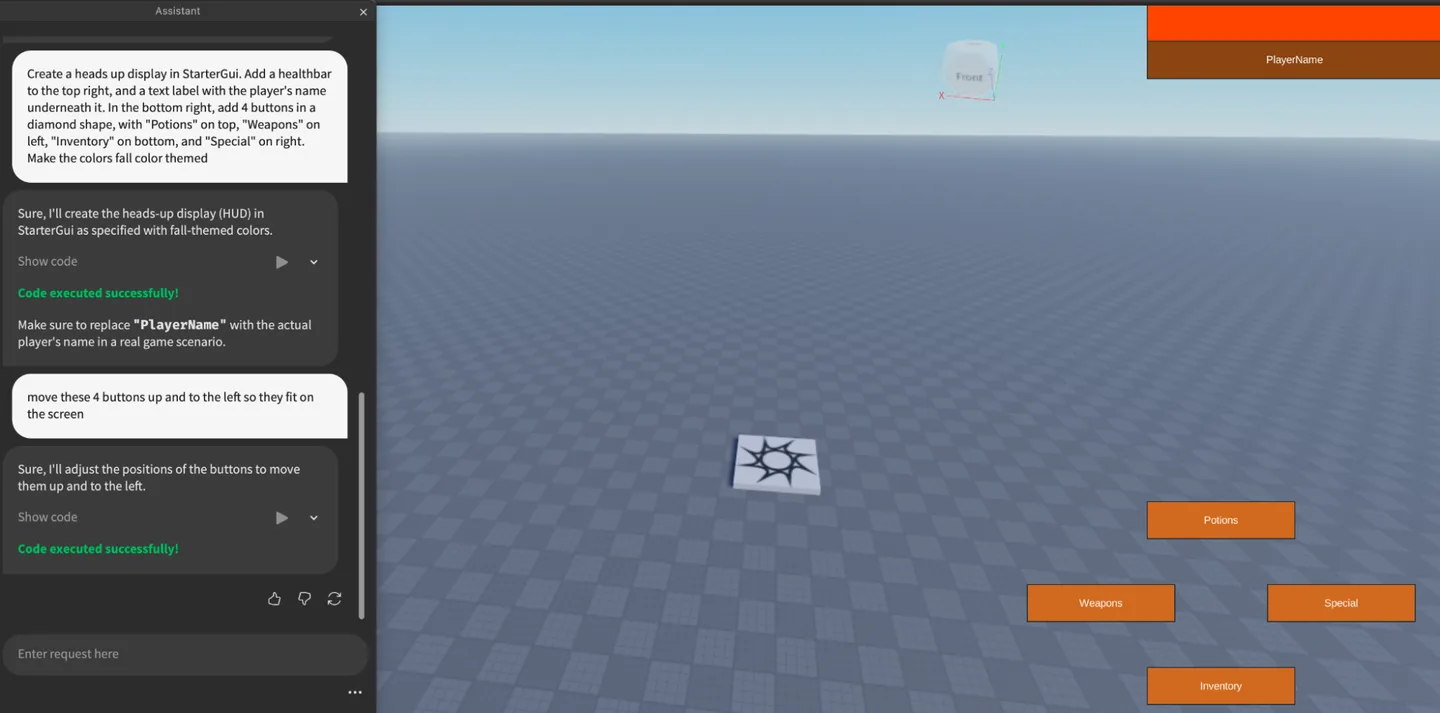
- Assistant opens from the right side of the mezzanine bar. It answers questions, writes and edits scripts, inserts Creator Store assets, and generates meshes (default limit 10,000 triangles) and procedural models. Full guide: Roblox Assistant.
- Material Generator opens from Window > 3D and makes tiling materials for floors, walls and terrain.
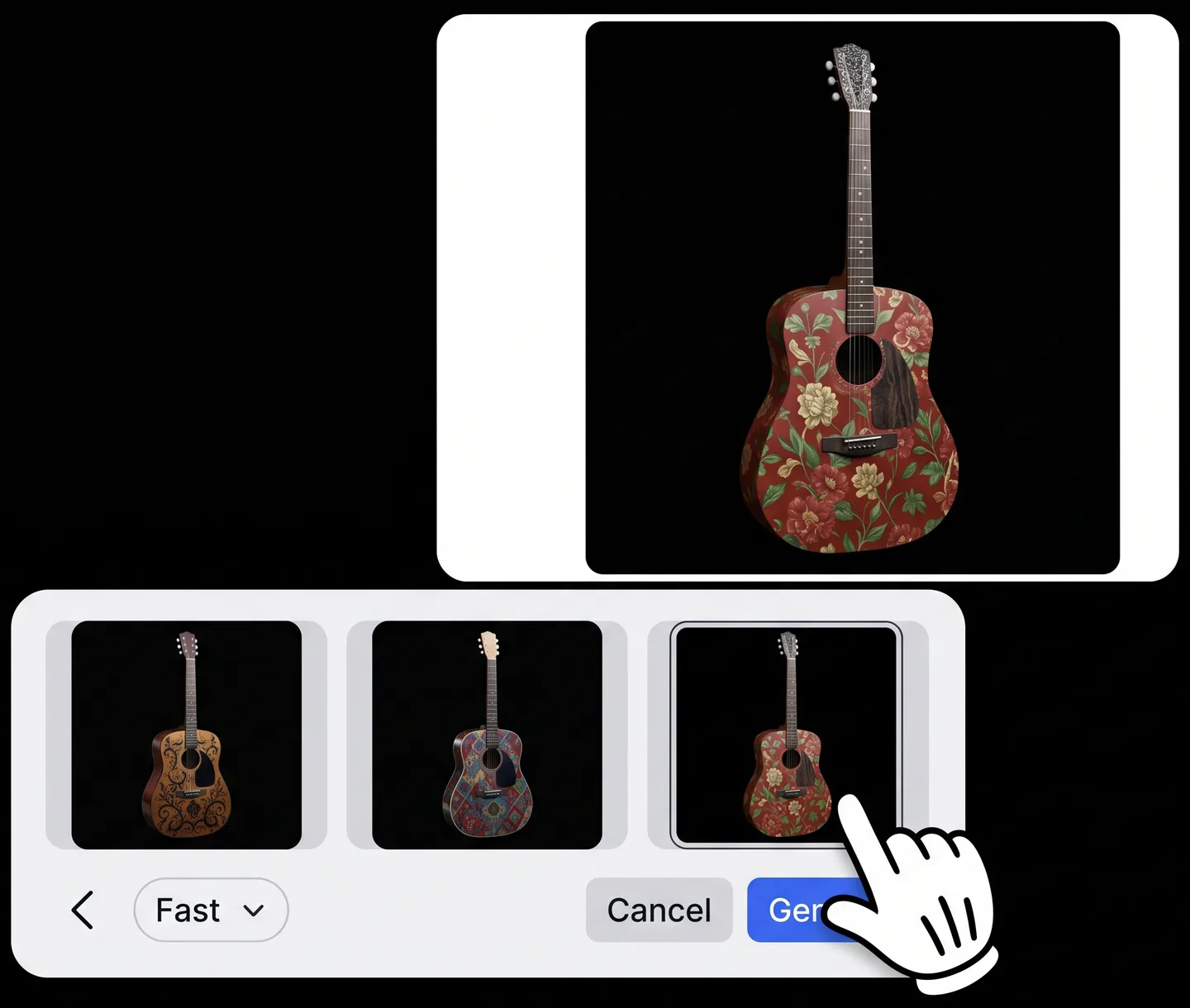
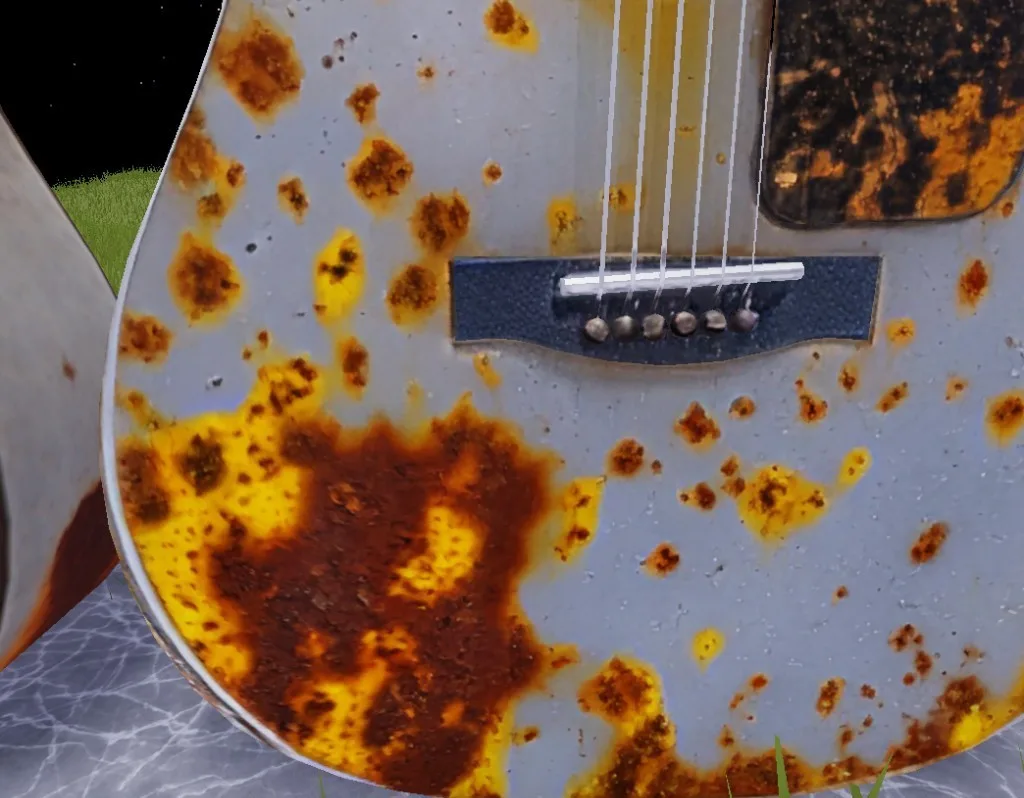
- Texture Generator works on a selected mesh from the Model tab. Fast mode makes a 1K diffuse texture in under 30 seconds; Quality mode makes a 4K PBR texture in a couple of minutes.
- Roblox Build, in the mobile app, makes simple 2D and 2.5D games from chat. See the Roblox Build guide.
Best AI for scripting
Assistant is the easiest place to start because it already sees your game tree. Once a project grows, an outside coding client gives you a stronger model and better file handling. Roblox’s built-in MCP server supports quick connect for Claude Code, Claude Desktop, Cursor, Codex CLI, Gemini CLI, Visual Studio Code and Antigravity, and it lets the client read scripts, edit them, run Luau and start playtests. You can also bring your own Anthropic, OpenAI or Gemini key into Assistant through Manage API Keys.
Claude
CodeWrites, reviews and debugs Luau, and drives Studio directly through the built-in MCP server.
- Free tier
- Pro $20/mo (checked Nov 2026)
Cursor
CodeAn AI code editor for Rojo or Script Sync projects with many files.
- Free tier
GitHub Copilot
CodeInline Luau completion in VS Code, with a free tier of 2,000 completions a month.
- Free tier
- Pro $10/mo (checked Nov 2026)
Roblox’s docs warn that AI can suggest older APIs or Lua instead of Luau, so test what it writes. More detail is in our Roblox AI script generator guide.
Best AI for 3D models
Studio’s 3D Importer accepts .fbx, .obj and .gltf (and .glb), and each mesh must stay under 20,000 triangles. Any outside generator has to fit those two rules.
Meshy
3D modelsText or image to a textured model, with rigging and FBX, OBJ and GLB export.
- Free tier
- Pro from $20/mo billed monthly (checked Nov 2026)
- Exports FBX, OBJ, GLB, USDZ, STL
Rodin (Hyper3D)
3D modelsBuilds a model from one or more reference images and exports FBX, OBJ, GLB and GLTF.
- Free tier
- Exports FBX, OBJ, GLB, GLTF, STL, USDZ
Scenario
3D modelsKeeps a whole set of game assets in one consistent style; commercial use needs a paid plan.
- Free tier
- Paid plans from $15/mo (checked Nov 2026)
- Exports GLB, OBJ, FBX, STL
Blender
3D modelsFree cleanup step: reduce triangles and export a Roblox-ready FBX.
- Free tier
- Exports FBX, OBJ, GLB
Meshy’s free plan gives 100 credits a month under a CC BY 4.0 license, and Pro is $20 a month billed monthly. Full comparisons are in AI 3D model generators for Roblox and the Meshy to Roblox guide.
Best AI for icons, thumbnails and trailers
Your icon and thumbnails decide whether people click. Roblox’s thumbnail guidance asks for high resolution and a clear subject in a 16:9 frame.
Higgsfield AI
Images and videoMany image and video models in one plan, for icons, thumbnails, trailers and Shorts.
- Free tier
- Paid plans from $19/mo (checked Nov 2026)
Affiliate link: we may earn a commission if you subscribe, at no extra cost to you. How this works.
Higgsfield’s plans start at $19 a month (Starter, 270 credits) as of November 2026, with a limited free plan. It makes images and video, not 3D model files, so it fits your game page and marketing rather than in-game meshes. It also has an MCP server, so Claude can generate art for you in the same chat where it works on your game. See Higgsfield Games with Claude MCP.
Krea
ImagesLots of image models on a cheap plan, with 100 free compute units a day.
- Free tier
- Paid plans from $5/mo billed yearly (checked Nov 2026)
Adobe Firefly
ImagesImage generation and editing with a limited free tier.
- Free tier

Opus Clip
Images and videoCuts long gameplay or story videos into captioned vertical Shorts to promote your game.
- Free tier
- Starter from $15/mo (checked Nov 2026)
Affiliate link: we may earn a commission if you subscribe, at no extra cost to you. How this works.
If you want to earn from clips of other creators’ Roblox videos, see how Roblox clipping works.
Best AI for voice, sound and music
Roblox accepts single audio tracks in .mp3, .ogg, .wav or .flac under 20 MB and 7 minutes. ID-verified accounts can upload 2,000 free audio assets per 30 days, and unverified accounts 100.
ElevenLabs
AudioVoice lines, sound effects and music, with a free tier of 10,000 credits a month.
- Free tier
- Paid plans from $6/mo (checked Nov 2026)
Affiliate link: we may earn a commission if you subscribe, at no extra cost to you. How this works.
Suno
AudioBackground music; commercial use needs the Pro plan.
- Free tier
- Pro $10/mo, free plan has no commercial rights (checked Nov 2026)
Best AI for animation
Roblox’s MCP server has a generate_animation tool that makes R15 animations up to 10 seconds from text. For motion from real video, outside tools export FBX that you can bring in.
Rokoko Vision
AnimationTurns a video of yourself into character animation, exported as FBX.
- Free tier
- Basic $12/mo billed monthly (checked Nov 2026)
- Exports FBX, BVH
Plask
AnimationBrowser motion capture from video, with FBX and GLB export.
- Free tier
- Standard $18/mo billed yearly (checked Nov 2026)
- Exports FBX, GLB, BVH
A simple starting stack
If you are new, use Assistant for your first scripts and parts, the Texture Generator for surfaces, one image tool for the icon, and nothing else until you hit a real wall. Add Claude through MCP when scripts get long, and a 3D generator when the Creator Store does not have what you need. The how to make Roblox games with AI guide shows the full workflow in order.
AI Tools for Roblox FAQ
What is the best free AI tool for Roblox?
Start with what is built into Roblox Studio: Assistant, Material Generator and Texture Generator. Roblox does not list a price for Assistant in its docs. Outside Studio, Claude, ChatGPT, Meshy, Krea and ElevenLabs all have free tiers.
Which AI is best for writing Roblox scripts?
Assistant inside Studio knows your place. For bigger projects, Claude or Cursor connected through the Roblox Studio MCP server can read and edit scripts directly. See AI script generators.
Can AI make 3D models for Roblox?
Yes. Assistant can generate meshes inside Studio, and tools like Meshy, Rodin and Scenario export FBX, OBJ or GLB files that Studio's 3D Importer accepts. Keep each mesh under 20,000 triangles.
Can AI make a whole Roblox game?
Roblox Build can, for simple 2D and 2.5D games, from the mobile app. See the Roblox Build guide.
What AI should I use for a Roblox game icon?
Any strong image model works. Higgsfield gives you many image and video models under one plan, which also covers trailers.
Keep building
Every guide, newest first Roblox Build vs Higgsfield Games: Which AI Game Maker Should You Use?Roblox Build publishes simple 2D games to Roblox from your phone. Higgsfield Games builds web prototypes with art. Where each runs, cost, limits, which to use.Tools and Reviews3 min read
 Make a Game With Higgsfield Games and Claude Over MCP, Then Bring the Assets to RobloxConnect Claude to the Higgsfield MCP to prototype a game idea and generate art fast, then move images, textures and video into Roblox Studio. What runs where.AI Tools5 min read
 Roblox AI: Every AI Feature in Roblox and Roblox StudioRoblox AI covers Assistant, Code Assist, mesh, material and texture generators, Avatar Setup, the Studio MCP server and Build. What each does and where it is.AI Tools5 min read
 Roblox Build: How to Make a Roblox Game With AI on Your PhoneRoblox Build turns a typed idea into a playable 2D or 2.5D Roblox game in the mobile app. How it works, prompts, credits, publishing, limits and who can use it.AI Tools6 min read
 The Best AI 3D Model Generators for Roblox StudioWhich AI 3D model generators work for Roblox: Roblox's own mesh generation, Meshy, Rodin, Scenario and Tripo, compared on export formats, free tiers and price.Assets and Models3 min read
 Roblox Studio MCP: Connect Claude, Claude Code or Cursor to StudioTurn on Roblox Studio's built-in MCP server in Assistant, then connect Claude Desktop, Claude Code or Cursor. Config for Windows and Mac, tools, Higgsfield.AI Tools5 min read