
Roblox AI: Every AI Feature in Roblox and Roblox Studio
Roblox AI covers Assistant, Code Assist, mesh, material and texture generators, Avatar Setup, the Studio MCP server and Build. What each does and where it is.
Image: Evade by Hexagon Development Community (Roblox)
On this page9
Roblox AI is a group of separate tools, and most of them live inside Roblox Studio. For everyday work, open Assistant from the right side of the mezzanine bar at the top of Studio and type what you want. For code completion, start typing in a script and Code Assist suggests the next lines. For surfaces, use the Material Generator and Texture Generator. If you would rather drive Studio from Claude, Cursor or another AI app, turn on the built-in Studio MCP server. And if you only have a phone, Roblox Build makes small 2D games from chat in the Roblox mobile app.
Roblox lists all of these on its “AI on Roblox” page in the Creator Docs: procedural models, interactive 3D models, Avatar Auto-Setup, mesh generation, the material generator, the texture generator, text-to-speech, speech-to-text, text generation, Code Assist, Assistant and the Studio MCP server. Below is what each one does, where you open it, and what Roblox has (and has not) said about limits.
Quick facts
- Main AI helper
- Assistant (mezzanine bar, right side)
- Turn on betas
- File › Beta Features
- Outside AI apps
- Built-in Studio MCP server
- Phone game maker
- Build tab in the Roblox app
- Price
- No Assistant price listed in the docs
Assistant: the AI chat inside Studio
Assistant is the center of Roblox AI in Studio. Roblox describes it as an AI helper that answers questions, generates content and performs actions directly in Studio. It pairs a large language model with a run-command system, so when you ask for something it writes Luau and runs it against your place.
You can ask it to answer Roblox development questions, create or change objects and scripts, insert Creator Store assets, explain code you have selected, generate materials, and generate 3D meshes and procedural models. Chats are saved in the cloud and scoped to the place you have open, and you can keep several chats per place.
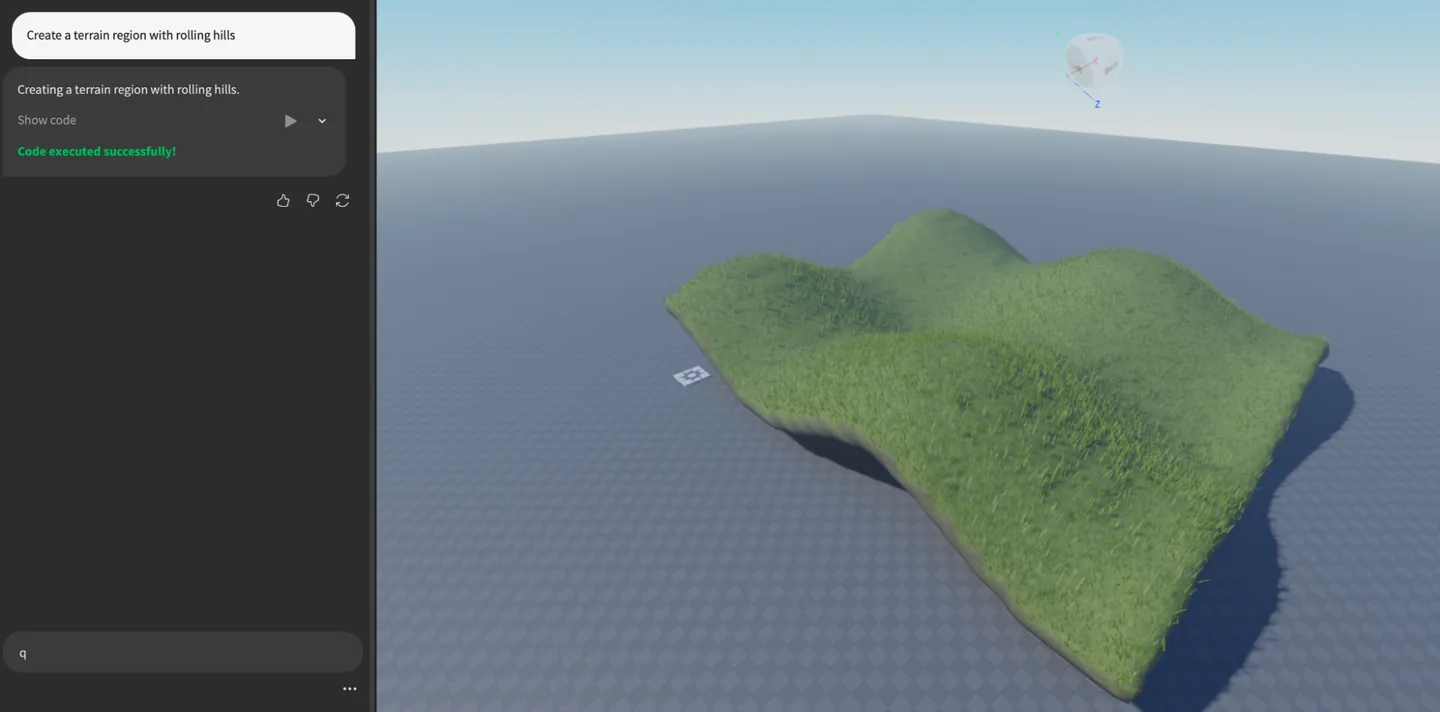
Two newer parts are worth knowing. Planning Mode (pick Plan in the dropdown or type /plan) writes an editable Markdown plan first and runs nothing until you click Build. Skills are Markdown files that teach Assistant how you like things done, managed in the Skills tab. The full walkthrough is in our Roblox Assistant guide.
Code Assist in the Script Editor
Code Assist is autocomplete with AI behind it. Once a script has a few lines in it, it suggests the next line or a whole function after you pause, or when you press Alt+\ on Windows or Option+\ on Mac. Press Tab to accept.
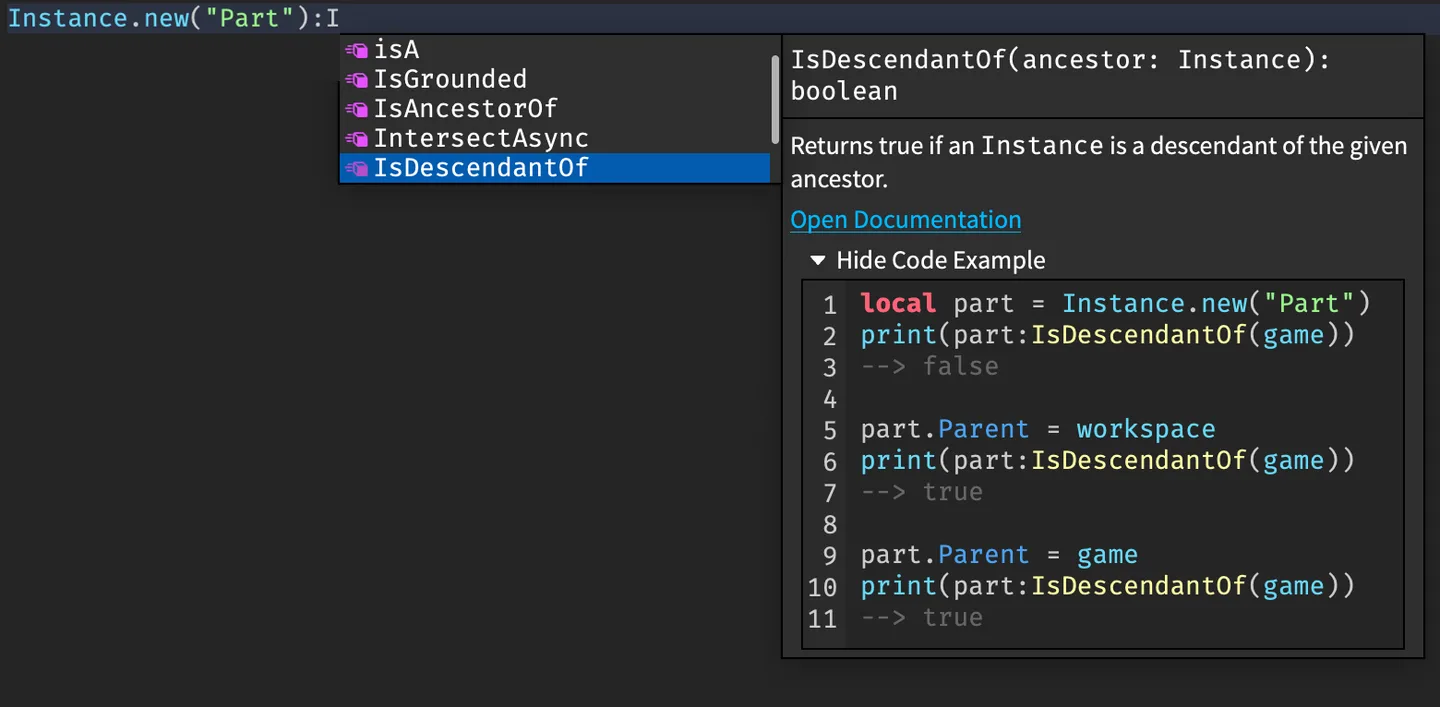
Roblox notes a daily cap on suggestions and warns that it can suggest older APIs or plain Lua instead of Luau. The docs also say your code is not used for training. Read suggestions before you accept them, the same as you would with any AI tool. Our Roblox AI script generator guide covers writing scripts with AI in more depth.
Generators for meshes, materials and textures
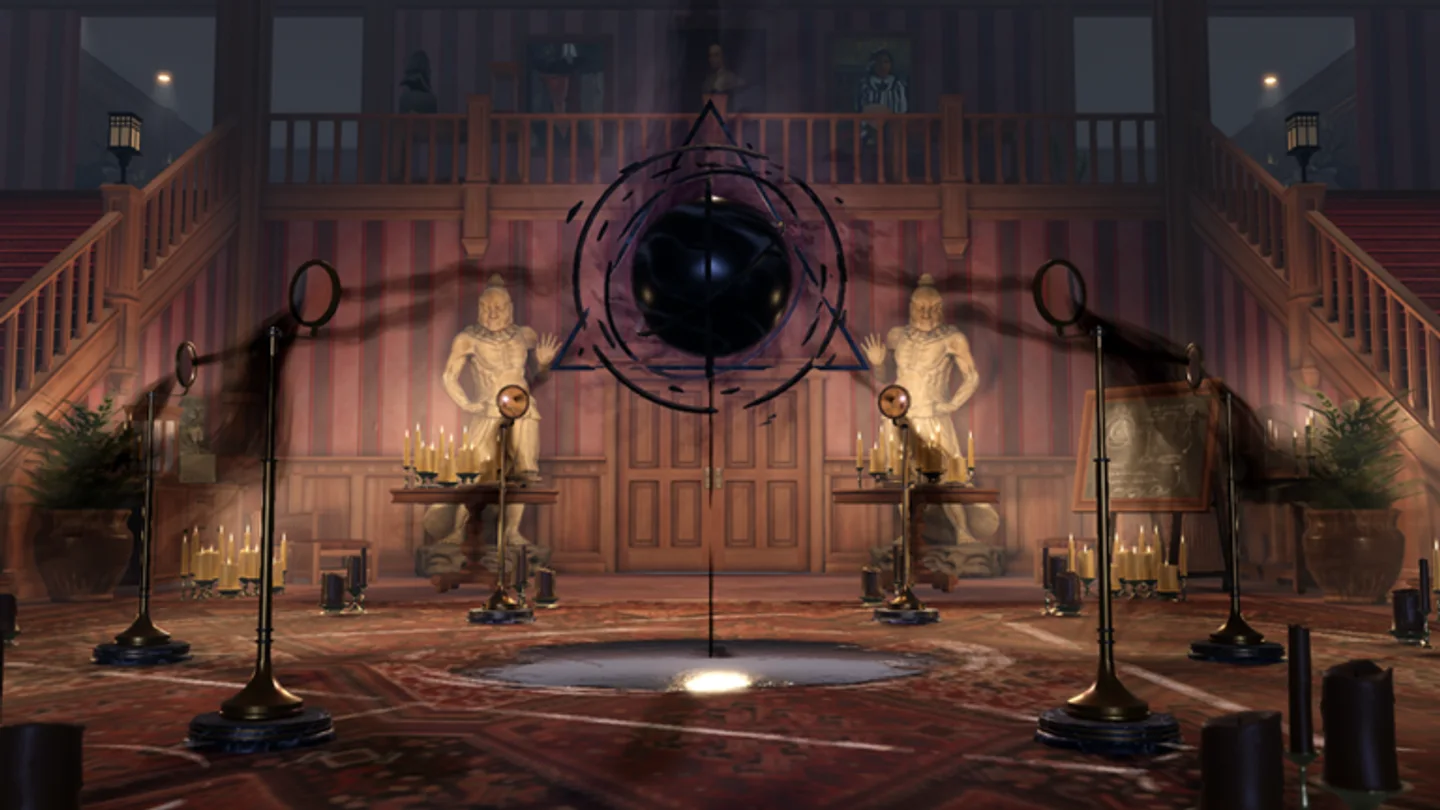
Roblox’s generative 3D work runs on a model it calls Cube, introduced in March 2025. In Studio you reach it in a few places.
Mesh and procedural model generation
There is no separate mesh generator window described in the docs. You generate meshes through Assistant with /generate_mesh followed by a prompt (text or an image, not both), or by just asking in plain words. If a Part is selected it acts as the bounding box, and the default maximum is 10,000 triangles. Procedural models use /generate_procedural_model, with a limit of 50 per rolling 24-hour window, and land in a GeneratedFolder. Assistant can also split a generated model into up to eight named parts, which is what the image at the top of this page shows.
Material Generator
Open it from Window › 3D, or click Generate in the Material widget picker. Type keywords, click Generate, adjust Studs Per Tile and the Organic toggle, pick a Base Material and click Save & Apply Variant. The result is a tiling MaterialVariant saved in the Material Manager, which suits floors, walls and terrain.
Texture Generator
Select a mesh or Model, then go to the Model tab and click Texture. Give a text prompt or an image. Preview shows three previews in about 10 seconds, and Generate makes the full texture.
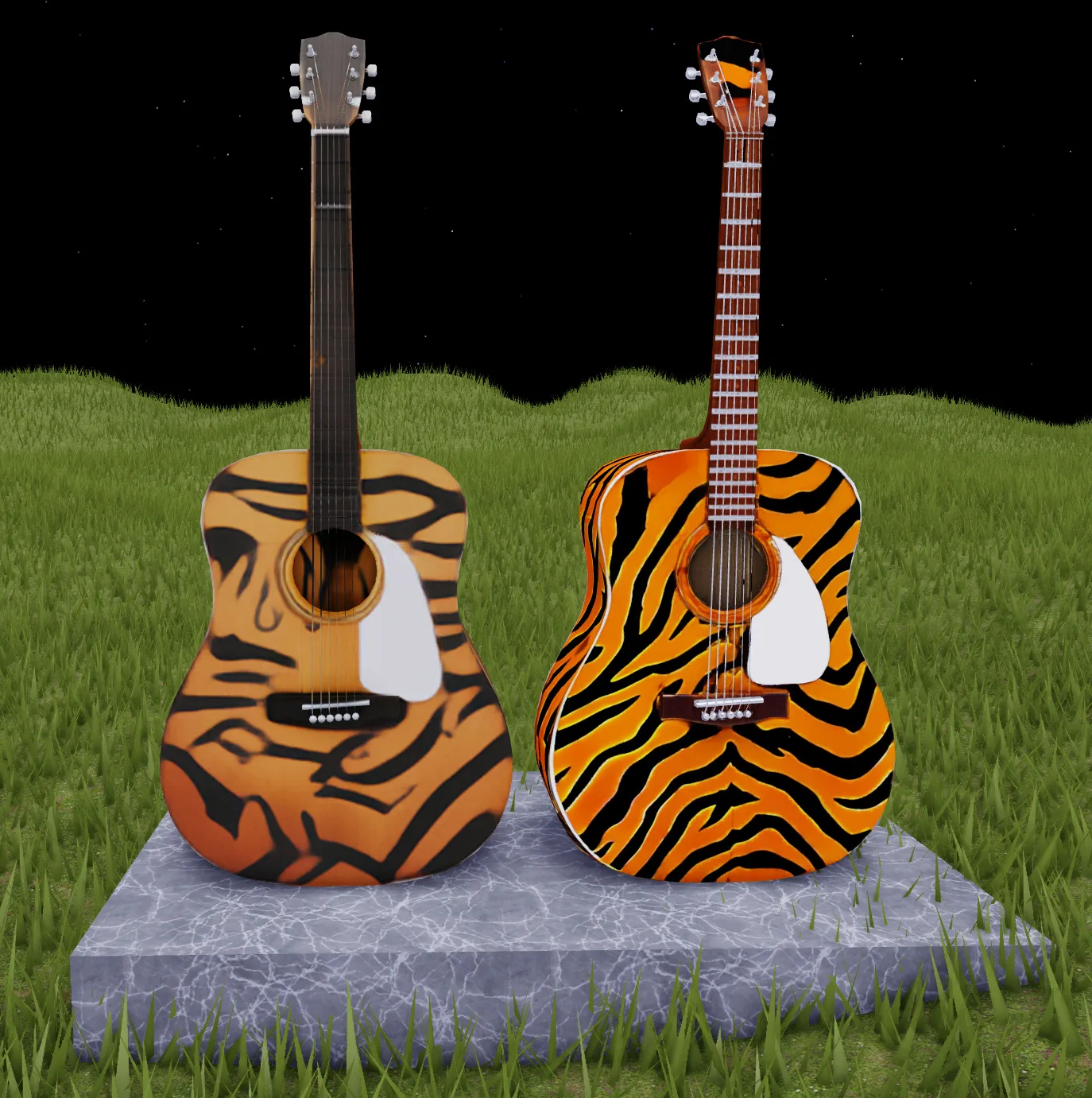
Fast mode gives a 1K diffuse texture in under 30 seconds. Quality mode gives a 4K PBR texture through SurfaceAppearance and takes a couple of minutes.
Avatar Setup
Avatar Setup turns an imported model into a working avatar body. Import a .fbx, .obj or .gltf with Home › Import, select it, then click Avatar Setup on the Avatar tab. Auto-setup handles R15 rigging, skinning, facial animation (FACS), caging, splitting into 15 body parts and attachments. Roblox says this can take several minutes.
The Studio MCP server
The Studio MCP server is built into Studio and lets an outside AI client explore your data model, write scripts, run Luau and playtest. You enable it in Assistant › … › Manage MCP Servers by turning on Enable Studio as MCP server. Quick connect supports Claude Code, Claude Desktop, Cursor, Codex CLI, Gemini CLI, Visual Studio Code and Antigravity.
The server also exposes generation tools, including generate_avatar (a rigged R15 avatar from text) and generate_animation (R15 animation from text, up to 10 seconds). Setup steps for each client are in our Roblox Studio MCP guide.
Roblox Build on mobile
Roblox Build is a separate product. It is a Build tab in the Roblox mobile app where you type what you want and it generates a playable game. Right now it covers 2D and 2.5D genres: clickers, arcade games, collect-and-score games, side-scrollers and puzzle games, with 3D listed as coming. Games publish to your profile after a quick safety check and are set for players 16+ by default. You get a set number of free prompts per day and can buy more credits with Robux, but the docs do not give the exact numbers. Build is rolling out gradually, starting with New Zealand. Opening a Build game in Studio permanently converts it to a normal Studio game. See Roblox Build for the details.
AI inside your game
Some of these tools also work for players at runtime. GenerationService can generate 3D objects from text in a live game through GenerateMeshAsync and GenerateModelAsync, and 4D generation (a beta announced in February 2026) lets players generate objects such as a drivable car. If your game uses AI chat, Roblox’s rules apply: show players that they are talking to AI, filter text with TextService:FilterStringAsync(), and if conversations are continuous or remember players across sessions, answer Yes to the Extended AI question, which requires a Restricted (18+) rating.
AI tools outside Roblox
Plenty of creators pair Studio with outside tools. A general chatbot is good for planning and explaining code, and image and video tools cover the parts Studio does not, such as the game icon, thumbnails and trailers.
Claude
CodeConnects to Studio through the MCP server and can write and test Luau in your place.
- Free tier
- Pro $20/mo (checked Nov 2026)
Higgsfield AI
Images and videoMakes images and video for your icon, thumbnails and promo clips, outside Studio.
- Free tier
- Paid plans from $19/mo (checked Nov 2026)
Affiliate link: we may earn a commission if you subscribe, at no extra cost to you. How this works.
For a full list grouped by job, see best AI tools for Roblox.
Roblox AI FAQ
Does Roblox Studio have built-in AI?
Yes. Studio includes Assistant, Code Assist in the Script Editor, the Material Generator, the Texture Generator, Avatar Setup and a built-in MCP server. See the Assistant guide for the main one.
How do I turn on Roblox AI beta features?
Go to File › Beta Features in Studio and enable the feature. Features that are generally available are on by default.
Is Roblox AI free?
The Roblox docs we read list rate limits for Assistant (for example 50 procedural models per rolling 24 hours) but no price. Roblox Build gives a set number of free prompts per day and sells extra credits for Robux.
Can I use Claude or ChatGPT with Roblox Studio?
Yes, two ways. Assistant accepts your own Anthropic, OpenAI or Google Gemini API key, and the Studio MCP server lets outside clients such as Claude Desktop, Claude Code or Cursor work in your open place.
Can Roblox AI make a whole game for me?
Roblox Build makes 2D and 2.5D games from chat in the Roblox mobile app. For 3D games in Studio, AI helps with parts of the work. Compare the options in Roblox AI game maker.
Keep building
Every guide, newest first The Best AI Tools for Roblox Creators (November 2026)The AI tools worth using for Roblox games: Roblox's built-in AI, Claude and Cursor for Luau, Meshy for 3D, Higgsfield for icons and video, ElevenLabs for audio.AI Tools3 min read
 Make a Game With Higgsfield Games and Claude Over MCP, Then Bring the Assets to RobloxConnect Claude to the Higgsfield MCP to prototype a game idea and generate art fast, then move images, textures and video into Roblox Studio. What runs where.AI Tools5 min read
 Roblox Build: How to Make a Roblox Game With AI on Your PhoneRoblox Build turns a typed idea into a playable 2D or 2.5D Roblox game in the mobile app. How it works, prompts, credits, publishing, limits and who can use it.AI Tools6 min read
 Roblox Build vs Higgsfield Games: Which AI Game Maker Should You Use?Roblox Build publishes simple 2D games to Roblox from your phone. Higgsfield Games builds web prototypes with art. Where each runs, cost, limits, which to use.Tools and Reviews3 min read
 How to Make a Roblox Game: The Full Process, With and Without AIInstall free Roblox Studio, start from a template, build, script, test, then publish from File › Publish. Every stage explained, plus where AI tools help.Beginners7 min read
 How to Make Roblox Games With AI, From Idea to Published GameMake a Roblox game with AI: plan with Claude, build in Studio with Assistant and MCP, make art in Higgsfield, then playtest and publish. Every step in order.AI Tools5 min read